
Take Control Of Your Snow Removal Operations, Even On The Busiest Day
Manage the busy winter workload with one platform for scheduling, dispatching, work orders, customer information, and invoicing. Give your office and field teams a clearer way to handle every service job.
 No contracts
For Teams of 10 to 1,000
Free data migration
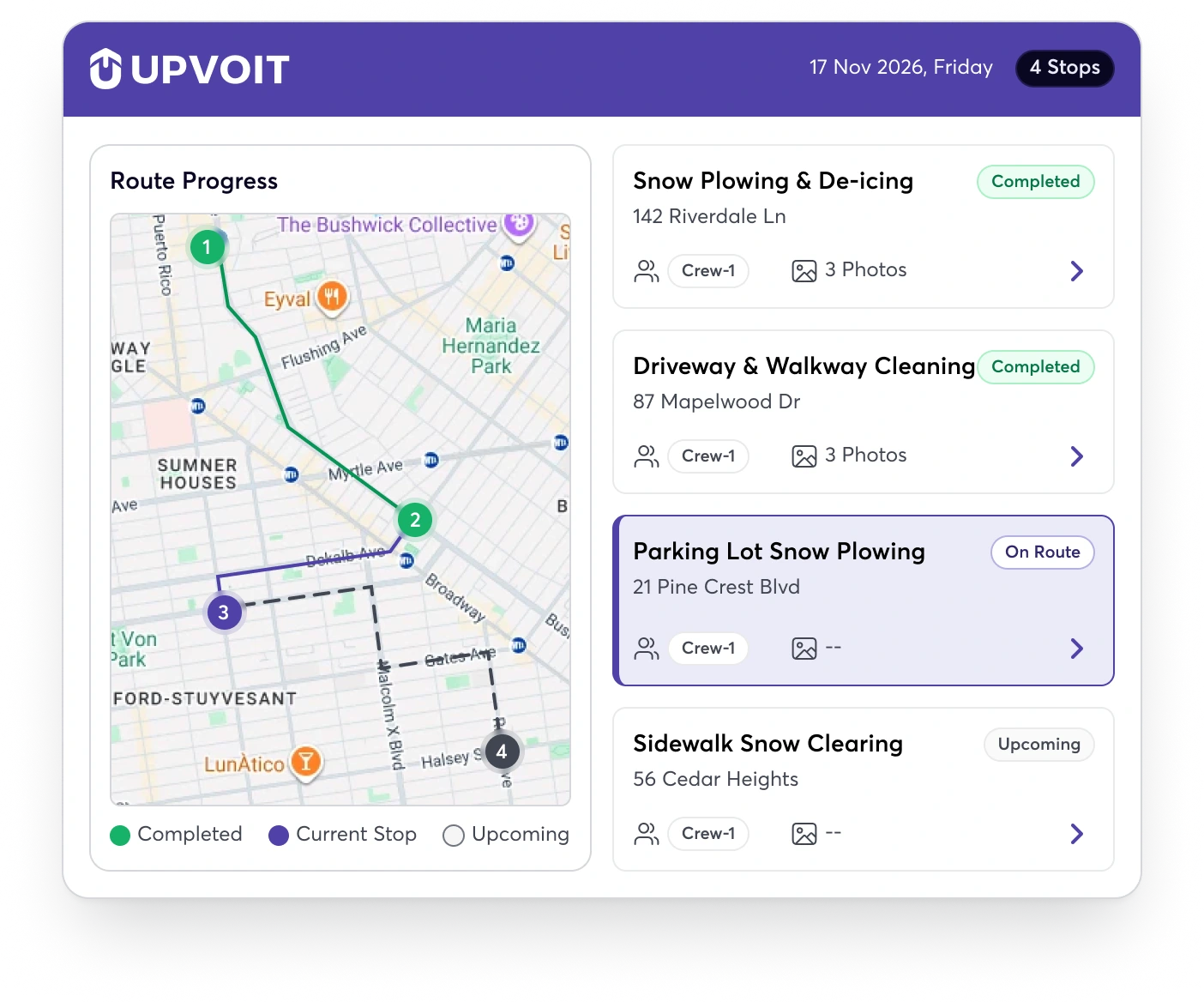
What Makes Snow Removal Operations Harder To Manage

Too Many Jobs, Too Little Time
Several properties may need attention around the same time. Managing assignments through calls, messages, and spreadsheets makes it harder to decide who should handle the next job.

Every Property Has Different Requirements
Some properties have service instructions, while others need attention in certain areas. Keeping details organised per visit can become difficult as your customer list grows.

You Can’t See What’s Happening In The Field
Your technicians are out handling service calls, but your office still needs answers. Constantly calling crews to confirm locations and job status takes time away from other work.

Service Completion And Billing Fall Behind
Your team may finish several jobs in a day, but collecting the information needed for billing can take additional time. Scattered records make the process even slower.
Run Your Snow Removal Business With Better Day-To-Day Visibility
Manage incoming jobs, assign technicians, share property instructions, track field activity, and keep billing organised.
-

Scheduling & Dispatch

Snow Removal Scheduling Software
Assign Crews And Keep Snow Removal Jobs Moving
Keep upcoming service visits and new job assignments organised. Adjust your schedule as priorities change and give your crews a clearer view of where they need to be.
Scheduling & Dispatch -
Work Orders & Job Management
Snow Removal Work Order Software
Give Every Crew The Property Details They Need
Organise work orders with the information your technicians need to complete their assigned jobs. Keep service requirements and updates accessible to the office and field team.
Work Orders & Job Management -
GPS Tracking & Technician Management
Snow Removal Crew Management
Get A Better View Of Your Technicians In The Field
Keep an eye on field activity while your crews handle jobs across multiple service locations. Give your office better visibility into the people handling your daily work.
GPS Tracking -
Estimating & Proposals
Snow Removal Estimating Software
Prepare Estimates For Residential And Commercial Properties
Manage estimates from one place and keep track of what has been prepared, shared, and approved. Give your team a clearer way to follow up on potential work.
Estimates & Quotations -
Checklists & Photo Proof

Snow Removal Checklists & Photo Proof
Keep A Record Of Every Snow Removal Service Visit
Capture property updates, job details, and completion information through photos and digital forms. Make it easier to understand what happened at each service location.
Photos, Forms & Checklists -
Invoicing & Payments
Snow Removal Invoicing Software
Keep Billing On Track
Manage invoices and payment records alongside your service jobs. Keep billing organised as your team completes work across different properties.
Invoicing & Payments -
Mobile & Clock-In
Snow Removal Mobile App
Give Technicians Access To Their Jobs And Work Hours
Keep technicians connected to their daily assignments and give your office a better way to manage timesheets and payroll without relying on separate records.
Mobile App & Payroll -
Reporting & Performance Tracking
Snow Removal Performance Tracking & Reporting
Get A Better View Of Jobs And Team Activity
Review business reports and track important operational information. Understand job activity, monitor your team’s work, and get a clearer picture of your business performance.
Reporting & Performance Tracking


Manage Snow Removal Your Way With Software That Fits Your Workflow
Upvoit is configured around the way your snow removal business operates, from residential plowing and commercial contracts to recurring service visits, crew assignments, and job billing. Keep property details organised, manage service requirements, and give your technicians the information they need before heading to each site.
With founder-led onboarding, we tailor Upvoit to your workflows, processes, and team from day one. We also help move your existing business data and get your team comfortable with the system.

Your field tickets
Custom field tickets for site, scope, hours, and equipment — built around what your crews actually record.

Your job stages & payroll rules
Job stages that match your dispatch-to-sign-off workflow, with overtime and rounding rules set to your policy.

Founder-led onboarding & free migration
We move your existing customers, accounts, and job history over and set it up with you, at no extra cost.

Field tickets & site data

Job stages & workflow

Crew roles & permissions

Payroll rules (OT & rounding)

Existing jobs & crews

Keep Your Snow Removal Business Tools Connected
Snow removal contractor software should work with the tools you already use. Upvoit connects with daily apps like QuickBooks, Xero, Stripe, and Make to help your operations work together.
Trusted by the Pros Who Run Snow Removal Businesses

“Winter gets busy very quickly for us. We can have several properties waiting for service, and keeping track of every crew assignment becomes difficult. Upvoit has helped us organise our schedules, assign jobs, and get a better view of what our team is handling throughout the day.”
Robert H.
Owner
“Managing commercial properties is different from handling residential driveways. Every site has its own requirements, access details, and customer expectations. Having those instructions organised with the job makes it easier for our crews to know what needs to be done.”
Christopher R.
Operations Manager
“Before, I spent a lot of time calling crew members just to find out which jobs were completed and which ones were still pending. Now, I can check job updates and technician locations without constantly chasing people. That visibility has made a real difference to our daily coordination.”
Matthew C.
Owner
“Our business handles both seasonal contracts and individual snow removal requests. Keeping customer information, job schedules, and service records organised used to be a challenge. Upvoit gives us a better way to manage all of it as the workload picks up.”
Steven P.
Director
“Getting the work done is only one part of running a snow removal business. We also need accurate job records and timely invoicing. With Upvoit, our office team has a clearer view of completed work and can manage the billing process without going back and forth with the field team.”
Brian W.
Owner
“When several crews are working across different properties, small communication gaps can create bigger problems. Upvoit helps us keep job instructions, assignments, and updates together. Our team has a much easier time staying on the same page during the busy season.”
Jonathan P.
General Manager
Answers before you choose
Frequently Asked Questions About Snow Removal Software
-
What is snow removal business software?
Snow removal business software helps you manage crews, service locations, schedules, snow plowing jobs, estimates, customer information, work orders, and billing in one place.
-
How does snow removal scheduling software help?
With your jobs, crews, and schedules organised in one place, you can assign technicians more efficiently, manage changing priorities, and avoid spending valuable time calling around to check who’s available.
-
Can Upvoit manage recurring snow removal services?
Absolutely. You can organise recurring service visits and scheduled maintenance while keeping each customer’s property details, service requirements, and previous job information connected to their records.
-
Can Upvoit help coordinate snow plowing jobs?
Upvoit gives you a central place to schedule snow plowing jobs, assign technicians, and manage work orders. Your office can keep track of upcoming assignments while crews have access to their job details.
-
Can Upvoit manage estimates for commercial snow removal services?
Of course. Create estimates for commercial property services, residential driveway clearing, snow plowing, and other service requests. Keep pricing details and customer requirements connected to each estimate.
-
Can I manage both residential and commercial snow removal jobs?
You can manage both through Upvoit. Organise residential driveway clearing, commercial property services, and other snow removal work using job types and workflows that fit your business.
-
Does Upvoit have a mobile app for snow removal crews?
Your technicians can use Upvoit’s mobile experience to view assigned jobs, check property information, update work, upload photos, add notes, complete forms, and keep the office informed.
-
Does Upvoit include snow removal invoicing software?
Upvoit includes invoicing tools to help you manage billing alongside customer and job information. Once a service job is completed, your office can use the available job details to move towards invoicing without starting from scratch.
-
Can I manage multiple snow removal crews with Upvoit?
Certainly. Assign jobs to different technicians, manage their schedules, and use GPS tracking to get visibility into your field team’s locations. Keep track of your crews while they handle work across different properties.
-
Can I customize Upvoit for my snow removal business?
Absolutely. Configure your workflows, forms, job types, job stages, custom fields, and team permissions around how your snow removal business operates. Custom development is also available when you need something beyond the standard setup.
-
How long does it take to set up snow removal software?
Most businesses can get started within five to seven days. Founder-led onboarding helps configure the system, move your existing data, and get your team comfortable before you go live.
-
What kind of support do I get with Upvoit?
You’ll have access to real-person support, including founder-led support. Whether you need help with setup, workflows, customization, or everyday use, you can speak with someone who understands your system.
-
Can I move my existing snow removal customer data to Upvoit?
Switching doesn’t mean starting from scratch. Upvoit offers free data migration and helps move your existing customer information and other important business data into the system, so you don’t have to rebuild your records manually.
-
How much does snow removal business software cost?
Upvoit costs $18 per user per month when billed annually, or $20 per user per month when billed month-to-month. There’s no long-term contract, and free data migration is included.

