
Field Service Management Software Pricing & ROI: Calculate Your Savings


Published on
January 8, 2026
Table of Content
- Who This Blog Is For
- Why the Current Approach Breaks at Scale
- The Real Problem: Choosing Software You Have to Work Around
- How to Calculate Your Real Savings (A Practical Framework)
- The Pricing Lens Most Service Businesses Get Wrong
- What You’re Really Paying For With Field Service Management Software
- Three Things Most Field Service Software Blogs Don’t Tell You
- A Simple Decision Checkpoint (before we say Goodbye)
- Where Upvoit Fits in the Field Service Landscape
- Frequently asked questions
- Customization Without Months of Delays
- Final Thoughts (And a Small Reality Check)
Most service business leaders don’t sit down one day and decide, “We need field service management software.”
What actually happens is quieter.
You start answering questions you’ve already answered before.
You double-check things you thought were handled.
You ask for updates you should already be able to see.
You hesitate before making decisions because the information never feels complete.
Over time, your role shifts.
Instead of improving operations, you spend your energy verifying them. Instead of planning ahead, you react. Instead of trusting the system, you become the system.
This is the point where leadership becomes mentally expensive.
Not because the business is failing, but because it is operating without enough structure to support the people running it.
Field service management is not about adding service business software to your stack. It’s about reducing the cognitive load of running a distributed operation where work happens outside your line of sight.
This blog is written to help you understand that shift.
To explain what field service management actually changes inside a business, what problems it solves first, which problems it cannot solve, and how to evaluate whether it fits the way your team truly operates.
It’s written for decision-makers who want fewer assumptions, fewer interruptions, and a clearer grip on how work moves from request to completion to revenue.
Who This Blog Is For
This blog is for owners and senior decision-makers (CXOs, VPs, directors) of service businesses who are responsible for daily execution and financial outcomes.
You manage technicians in the field, job schedules, routes, parts, customer expectations, and billing. Your operation may be HVAC, plumbing, electrical, pest control, cleaning, security, appliance repair, or another field-driven service business.
This guide is not written for early-stage teams running two technicians on shared spreadsheets.
If you are actively evaluating field service management software for your mid-sized service business, or comparing options to replace manual coordination and disconnected tools, this blog is written for you.
Why the Current Approach Breaks at Scale
Most service businesses start scrappy. That is a strength early on.
Scale breaks that model fast.
This is typically the point where teams begin evaluating field services management software to regain structure and predictability.
We see this most clearly in plumbing businesses that grow quickly without upgrading their operational structure, something we explore in depth when looking at how plumbing companies can scale profitably without burning margins over time..
The first issue is scheduling drag. One delayed job cascades into five reschedules. Dispatch spends hours reshuffling instead of improving utilization.
The second issue is revenue leakage. Missed billables, underreported hours, forgotten add-ons. These rarely show up as one big loss. They show up as margins that never quite match projections.
The third issue is decision blindness. Without clean data, you manage by gut feel. Gut feel works until it does not. Usually right when payroll grows faster than profit.
The Real Problem: Choosing Software You Have to Work Around
Most service leaders don’t choose the wrong system because they don’t care.
They choose it because they’re under pressure.
Something is breaking. Schedules are slipping. Billing is behind. The team is stretched. And leadership feels the responsibility to “fix it” quickly.
That’s when decisions get rushed.
Many leaders turn to lists of top field service management software hoping to find a safe, all-in-one answer quickly.
Some teams choose field service management software tools that promise to handle everything. They look impressive in demos. They sound safe. But in practice, they introduce a new kind of burden. Processes slow down. Teams hesitate. Owners spend more time explaining the system than running the business.
If you’re already on a heavyweight platform like ServiceTitan and feel this friction, there’s a separate deep dive into the best ServiceTitan alternatives for growing service businesses in the US
Other teams go the opposite direction. They choose something simple just to stop the bleeding. It works for a while. Then volume increases, complexity grows, and the same problems resurface in a different form.
Both paths lead to the same outcome.
The business does not become easier to run. It becomes harder in quieter ways.
People start creating workarounds. Important details live in conversations instead of systems. The operation becomes dependent on a few individuals holding everything together.
That’s the real issue.
The wrong system doesn’t fail loudly. It fails by forcing the business to adapt around it.
The right system does the opposite. It absorbs complexity so the business doesn’t have to.
Field Service Management Software Pricing: What Leaders Are Actually Paying For
Like most service business software , pricing only makes sense when it’s evaluated alongside the operational friction it removes or creates. Most pricing discussions focus on subscription fees. Cost per user. Cost per technician. Monthly or annual plans.
That framing is incomplete.
What service businesses actually pay for is how much operational friction the system removes or creates.
Lower-priced tools often shift work back onto people. Higher-priced tools reduce manual effort but can introduce complexity and adoption drag.
The true cost of field service management software is not the invoice from the vendor. It’s the time your team spends coordinating, correcting, and compensating for gaps.
Pricing only makes sense when viewed alongside:
-
Implementation effort
-
Training time
-
Technician adoption
-
Ongoing admin overhead
Ignoring those costs is how businesses end up “saving” money while losing margin.
Where ROI From Field Service Management Actually Comes From
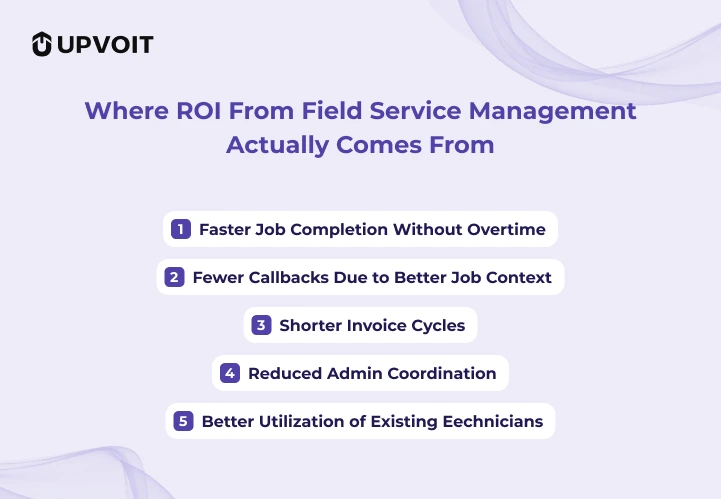
ROI does not usually show up where people expect.
It does not come primarily from cutting headcount. It does not come from flashy dashboards.
It comes from small, repeated improvements that compound quietly.
The most common ROI drivers are:
-
Faster job completion without overtime
-
Fewer callbacks due to better job context
-
Shorter invoice cycles
-
Reduced admin coordination
-
Better utilization of existing technicians
These gains compound into transformative results.
A Forrester study found organizations achieve a 346% ROI over three years with payback in under six months, driven by up to 14% higher technician productivity and 28% faster invoicing.
Real-world examples confirm this: companies using FSM software report 20-30% productivity gains, 25% travel cost reductions, and 15% revenue growth. .
Individually, none of these look dramatic. Together, they change how the business performs month over month.
Most leaders underestimate this because these gains don’t appear as one big line item. They show up as fewer fires, steadier margins, and less dependence on heroics.
How to Calculate Your Real Savings (A Practical Framework)

Most ROI discussions fall apart because they try to be precise too early.
You don’t need precision. You need directionally correct clarity.
Below is a simple way service leaders estimate savings before ever speaking to a vendor.
Step 1: Start With One Technician
Pick an average technician. Not your best. Not your worst.
Ask:
-
How many jobs do they complete per week?
-
How often does something slow them down that shouldn’t?
Now apply this formula:
Hidden Time Loss Per Technician (Weekly)
= (Minutes lost per job) × (Jobs per week)
Even 10–15 minutes lost per job adds up faster than most teams expect.
Step 2: Convert Time Loss Into Capacity
Once you know lost minutes, convert them into usable capacity.
Recovered Hours Per Technician (Weekly)
= Hidden Time Loss ÷ 60
Now ask a practical question:
What would we do with these recovered hours?
-
More jobs without overtime?
-
Fewer late days?
This is where ROI actually begins.
Step 3: Calculate Scheduling Impact
Scheduling inefficiency is one of the biggest silent costs.
Use this simple check:
Lost Job Capacity (Monthly)
= (Delayed or rescheduled jobs per week) × 4
Then ask:
-
How many of those jobs eventually get dropped or discounted?
-
How many require rework or callbacks?
You don’t need exact numbers.
Estimates are enough to reveal scale.
Step 4: Measure Invoice Delay Cost
Invoice lag is one of the easiest savings to calculate.
Cash Flow Delay Cost
= (Average invoice value) × (Days delayed) × (Monthly job volume)
Even small delays compound into real cash strain over a year.
This is not about accounting.
It’s about operational drag.
Step 5: Add Admin Coordination Cost
Most teams underestimate this entirely.
Ask:
-
How many people touch a job before it’s closed?
-
How many handoffs happen purely to move information?
Admin Time Cost (Monthly)
= (Admin hours per week) × 4 × (Hourly cost)
This is where many teams discover they are paying for inefficiency twice.
Step 6: Sense-Check the Total
Now combine:
-
Recovered technician capacity
-
Reduced scheduling loss
-
Faster invoicing
-
Lower admin load
If your estimated annual impact is less than the software cost, pause.
If it’s 2–5x higher, you’ve found your answer.
This is how most experienced service leaders make the decision, quietly, logically, without hype.
The Pricing Lens Most Service Businesses Get Wrong
Most pricing conversations start with a simple question:
“How much does it cost per user?”
That question misses the point.
Field service management software should not be evaluated by what it costs to access. It should be evaluated by what it changes in how work gets completed.
The more useful lens is this:
Cost per job completed correctly.
If software helps each technician complete even one additional job per week without overtime, the financial impact is immediate. If callbacks drop because technicians see full job history, margins improve without hiring. If invoices go out faster because work closes cleanly, cash flow stabilizes without chasing payments.
These gains rarely show up on pricing pages. But they are exactly where ROI lives.
One of the most overlooked benefits of field service management software is admin load reduction. . Not headcount reduction. Load reduction.
Software does not replace people. It removes coordination chaos that forces smart people to spend their day pushing information instead of decisions.
What You’re Really Paying For With Field Service Management Software
Pricing varies widely across platforms.
Some charge per technician. Some per user. Some bundle features. Some lock basic functionality behind higher tiers.
But subscription fees are not the real cost.
What you are actually paying for is operational leverage.
Lower-priced field service management software for small business often shifts work back onto your team. Higher-priced tools may reduce manual effort but introduce complexity, training drag, and slower adoption.
The true cost of any system shows up in three places:
-
Implementation effort
-
Ongoing training and habit change
-
Technician willingness to use it consistently
A tool that looks affordable on paper can become expensive through friction. A tool that feels expensive upfront can quietly pay for itself by reducing daily strain.
This is why pricing comparisons without operational context are misleading.
Three Things Most Field Service Software Blogs Don’t Tell You
First: ROI compounds unevenly.
The biggest gains don’t appear in week one. They appear after teams stop working around the system and start trusting it.
Second: Technician adoption matters more than feature depth.
If technicians like the system, outcomes follow.
If they tolerate it, workarounds return.
Third: Better reporting improves pricing confidence.
Accurate job data leads to better estimates, fewer discounts, and stronger margins without increasing volume.
These realities don’t show up in feature checklists.
They show up in financial results.
A Simple Decision Checkpoint (before we say Goodbye)
Ask yourself honestly:
-
Are we losing revenue through missed charges or slow invoicing?
-
Do technicians rely on the office for basic job context?
-
Is scheduling reactive instead of predictable?
-
Do we trust our job profitability numbers?
If the answer is yes to two or more, manual coordination has reached its limit.
Where Upvoit Fits in the Field Service Landscape
For businesses comparing top field service management software, Upvoit fits when you want operational calm instead of constant oversight.
Upvoit is designed for growing service teams that need structure without inheriting complexity.
It focuses on:
-
Work moving cleanly from request to completion to billing
-
Systems that technicians actually use
-
Visibility that supports decisions, not presentations
For businesses comparing field service management software options, Upvoit fits when:
-
You want operational calm instead of constant oversight
-
You need customization without months of delays or heavy rebuilds
-
You’re outgrowing basic tools but don’t want enterprise overhead
It’s built for teams who want the system to carry the operation, not demand constant attention.
Frequently asked questions
-
Can I customize field service management software around my business workflows?
-
Yes. And this is one of the most important questions to ask.
No two service businesses operate the same way. The right field service management software adapts to how your jobs flow, how your team works, and how your customers are served. You should never be forced to redesign your operation just to fit a tool.
Customization should feel practical, not expensive or endless.
-
Will this work for my specific industry?
Field service management software is built for businesses where work happens outside the office.
That includes HVAC, plumbing, electrical, pest control, cleaning, security, appliance repair, and similar service operations. What matters more than industry labels is how jobs are scheduled, executed, and closed. If you manage technicians, routes, and customers, the system should fit.
For roofing contractors specifically, we’ve broken down best roofing business software options and how they impact real field operations, not just features on a pricing page.
-
How long does it usually take to get up and running?
Implementation should take weeks, not months.
Most delays happen when a system is too rigid or too complex. When the software matches how your business already operates, onboarding becomes a guided setup process rather than a rebuild.
-
Will my technicians actually use it?
Technician adoption depends on one thing: whether the system makes their day easier.
If job details, history, photos, and updates are easy to access in the field, adoption follows naturally. If it slows them down or adds steps, resistance shows up immediately. Tools designed for real field conditions see far higher usage.
-
What if my processes change as we grow?
They will.
Your software should be flexible enough to adjust without requiring expensive rebuilds or long delays. Systems that lock you into rigid workflows become constraints over time. Adaptability is not a bonus feature. It’s a requirement.
-
Is this replacing people or adding more work?
Neither.
Field service management software reduces coordination work. It removes repetitive checking, chasing, and confirming so your team can focus on execution instead of administration. The goal is fewer interruptions, not fewer people.
-
How do I know if now is the right time to switch?
If leadership is spending more time verifying work than improving it, that moment has already arrived.
The right time is when structure protects your team instead of slowing it down.
Customization Without Months of Delays
Customization is where most field service software conversations quietly fall apart.
On paper, many platforms say they are customizable. In reality, customization often means long timelines, expensive change requests, and months of waiting just to make the system match how your business already runs.
That is not real flexibility. That is friction in disguise.
The right field service management software allows you to adjust workflows, job stages, forms, permissions, and reporting without turning every change into a project. Customization should feel like configuration, not construction.
If adapting the system takes longer than adapting your business, something is backwards.
Growing service teams need software that evolves with them quickly, without blowing up timelines, budgets, or momentum.
Final Thoughts (And a Small Reality Check)
If you’ve read this far, chances are you’re already feeling it.
Not the excitement of new software. The weight of holding too much together manually.
Running a service business is hard enough without being the glue between scheduling, technicians, customers, and invoices. You didn’t start your company to spend evenings double-checking jobs or wondering if something slipped through.
Field service management software isn’t about being fancy. It’s about making your day calmer, your decisions clearer, and your business easier to run.
If you want to see what that actually looks like, you’ve got two easy options:
-
Book a free walkthrough and see how it fits your workflows
Or start a 14-day free trial and let your team experience it firsthand
Worst case? You confirm what you already suspected. Best case? You stop being the system and finally let one do its job.
And if nothing else, your technicians might stop texting you questions at 8:47 PM.
That alone is worth exploring.