
Affordable Field Service Management Software Under $50 a User, Compared


Table of Content
- Affordable Field Service Management Software: The Best Value Options Under $50 a User
- What “affordable” actually means in field service software
- Why the lowest-priced plan is rarely the most affordable software
- The best value field service software under $50 a user
- Pricing comparison chart
- What this actually costs at 5 technicians
- Flat-rate vs per-user pricing… which one wins?
- So which one should you actually pick?
- Where Upvoit fits into this
- Try it for 14 days, no credit card
- Frequently Asked Questions
Affordable Field Service Management Software: The Best Value Options Under $50 a User
Let’s be honest about how this search usually starts.
You’re not sitting down to “evaluate field service management software.” You’re staring at a bill, or a quote, thinking… this feels like a lot for what we actually use.
Maybe a big-name competitor quoted you a number that made your eyes water. Maybe the budget tool you started on is somehow now your third-biggest software expense. Maybe you just hired your fifth technician and the per-user math stopped being cute.
Whatever brought you here, the real question underneath it is simple: what’s the best value field service software I can run my business on without overpaying?
Good news. You don’t need a five-figure budget anymore. There’s genuinely capable, affordable field service management software sitting well under fifty dollars a user now. The trick isn’t finding a low number. It’s knowing which low number stays low.
In this blog, we’ll break down the most affordable FSM software worth your time, what each one really costs, where it quietly gets expensive, and how to pick the one that actually fits a small team.
What “affordable” actually means in field service software
Here’s the thing nobody tells you up front.
Affordable isn’t a sticker price. It’s a sticker price that doesn’t move much when your business grows.
A plan can look like low-cost field service management software at one user. Then you add a couple of technicians, switch on payments, turn on the feature you assumed was already included… and the friendly little number isn’t so little anymore.
So when we talk about affordable field service software for small teams, we don’t just mean “lowest headline price.” We mean the lowest real cost once you count:
-
Seats — how much each extra technician or office user adds
-
Add-ons — texting, marketing tools, the AI receptionist, the “premium” reporting
-
Payment processing — the percentage quietly skimmed off every invoice
-
Tier jumps — the moment your must-have feature lives one plan up
Add those four things together at your real size. That total is the price. Everything else is marketing.
Why the lowest-priced plan is rarely the most affordable software
Almost every tool looks affordable on the pricing page. That’s by design. The cost just shows up somewhere else.
It shows up when your dispatcher spends an extra hour fixing schedules. When technicians keep calling for missing job details. When invoices sit unsent because something wasn’t updated. When you’re paying for three separate tools because the “all-in-one” left out something basic.
And that last one is more common than you’d think. A Slack survey from Salesforce found that small business owners lose roughly 96 minutes of productivity a day, and that the average owner juggles about four different digital tools daily, with nearly a third using five or more. That scattered-tool tax is the hidden cost of bargain-priced software that doesn’t quite fit.
Which is exactly why the lowest-priced field service management software on the landing page is so often the most expensive one a year later.
So as you read the comparison below, don’t just ask “how much is this per month?” Ask “how much does this cost me at five technicians, once everything I actually need is switched on?”
That’s the only field service software pricing comparison that tells the truth.
Payroll mistakes are one of the biggest hidden costs in field service businesses. Poor technician time tracking quietly drains profit long before owners notice it. Here’s how smarter timesheet management for field service teams helps stop payroll leaks.
The best value field service software under $50 a user
Here are the options genuinely worth considering if you want field service software under $50 per user, plus the two big names people keep getting quoted (and keep walking away from).

Upvoit
We’ll start here, and yes, we’re biased… but the numbers back it up.
Upvoit is an all-in-one field service management platform built for trade and service businesses in the US: HVAC, plumbing, electrical, roofing, cleaning, pest control, landscaping, and the rest. Its Growth plan runs $18 per user per month billed yearly, or $20 billed monthly, which puts it comfortably inside field service management software under $50 per user per month with room to spare.
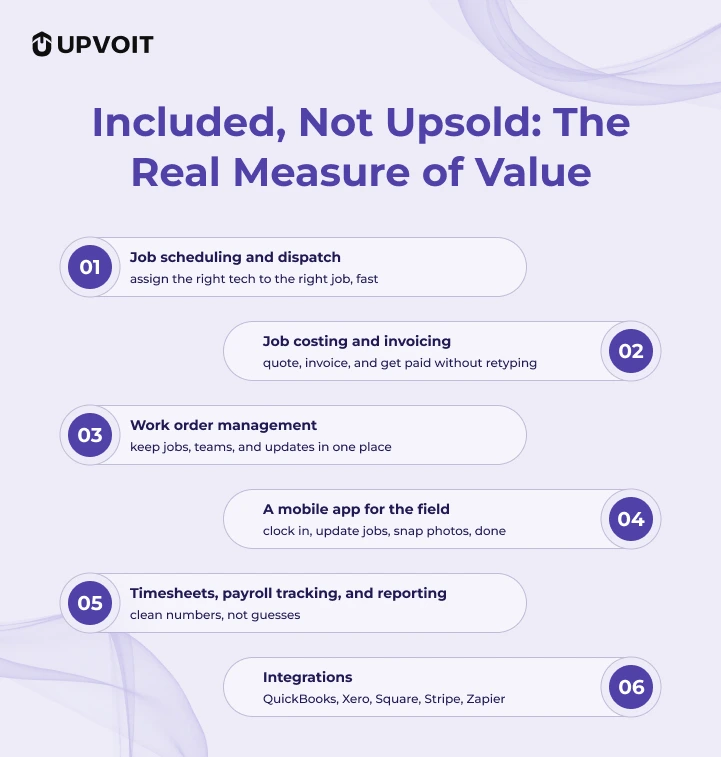
What makes it good value, not just inexpensive, is what’s included at that price instead of upsold:
-
Job scheduling and dispatch — assign the right tech to the right job, fast
-
Job costing and invoicing — quote, invoice, and get paid without retyping
-
Work order management — keep jobs, teams, and updates in one place
-
A mobile app for the field — clock in, update jobs, snap photos, done
-
Timesheets, payroll tracking, and reporting — clean numbers, not guesses
-
Integrations — QuickBooks, Xero, Square, Stripe, Zapier
You can add or remove users anytime, so the bill tracks your real headcount. Onboarding usually takes about 5 to 7 days, not months. And there’s a 14-day free trial with no credit card required, so you can test it on a real week before spending a dollar.
Best for: small teams who want budget field service software with invoicing and scheduling included, and a price that won’t lurch the day they hire someone.
Jobber
Jobber’s genuinely good at making a small home-services business look polished. The quoting, the booking, the client experience… all solid.
The catch is the bill. Jobber’s plans start around $39/month (Core), climb to $119/month (Connect) and $199/month (Grow), and the features most growing shops actually want tend to sit in those higher tiers. Extra users add up. Add-ons stack on top.
If you’re a solo operator or a very small, very stable crew, Jobber can stay reasonable. But the moment you start adding people, “is there an affordable Jobber alternative?” becomes a fair question. For a lot of small teams, a transparent low cost field service software for small business comes in lower for the same real-world feature set, which is exactly why people go looking for a cheaper alternative to Jobber in the first place.
Best for: polished, customer-facing small businesses that plan to stay small.
Housecall Pro
Housecall Pro is the consumer-experience favorite. Slick app, fast payments, homeowners like the booking flow.
It’s also where the gap between the starting price and the working price is widest. The Basic plan starts around $79/month, Essentials jumps to roughly $189/month, and the genuinely useful stuff lives in those upper tiers. What looked like a bargain at signup is a mid-tier bill by the third invoice.
If the tiers keep nudging you upward, hunting for a Housecall Pro cheaper alternative is reasonable. A flatter, lower per-user tool with the essentials built in usually lands lower.
Best for: consumer-facing brands that happily pay up for the homeowner experience.
FieldEdge
FieldEdge earns its spot for one real reason: a deep QuickBooks integration. If your books are the center of your universe, that matters.
The catch? There’s no public price. It’s quote-only and priced per technician, so you won’t know where you land until a sales call. For a small shop that just wants to budget, that opacity is the problem. A FieldEdge affordable alternative with a published per-user number is simply easier to trust, because you can see the price without negotiating for it.
Best for: QuickBooks-first shops that don’t mind a sales conversation.
ServiceTitan
ServiceTitan is the most powerful platform on this list and the least relevant to the question you’re asking.
It doesn’t publish pricing, but user reports put it somewhere around $245 to $398 per technician per month, with most companies paying thousands monthly once add-ons are counted. For a 50-truck operation with a marketing department, that can be money well spent.
For a five-person shop? It’s a different category of product at a different category of price. If you’ve already decided ServiceTitan is too expensive, you’re not wrong… you’re just not its customer yet. Looking for something cheaper than ServiceTitan for small business is the smart move, and honestly, almost everything above qualifies as a ServiceTitan too expensive alternative.
Best for: large, complex operations with the budget to match.
Pricing comparison chart
Here’s the quick, honest version. Figures are directional and pulled from each vendor’s published pricing (ServiceTitan and FieldEdge don’t publish theirs, so those are quote-based or reported ranges). Always confirm current numbers on each vendor’s own pricing page before you decide.
| Software | Plan | Monthly | Annual | Pricing model |
|---|---|---|---|---|
| Upvoit | Growth | $20 /user | $18 /user | Per user, transparent |
| Enterprise | Custom | Custom | Volume-based | |
| Jobber | Core | $39 | $29 | Tiered + extra users |
| Connect | $119 | $89 | Tiered + extra users | |
| Grow | $199 | $149 | Tiered + extra users | |
| Housecall Pro | Basic | $79 | $59 | Tiered + per-user add-ons |
| Essentials | $189 | $149 | Tiered + per-user add-ons | |
| FieldEdge | – | Quote only | Quote only | Per technician |
| ServiceTitan | – | ~$245+/tech (reported) | Quote only | Per technician |
Look at the top row, then look at the rest. That’s the whole argument for reading the model instead of the headline.
What this actually costs at 5 technicians
Numbers on a pricing page are abstract. Your actual monthly bill isn’t. So let’s run the math for a small team. The figures below are illustrative, meant to show how each pricing model behaves rather than serve as exact quotes, so confirm your own numbers before deciding.
Say you’ve got 5 technicians and you want the basics that every shop needs: scheduling, invoicing, and a QuickBooks sync.
Once teams hit five technicians, scheduling mistakes start getting expensive fast. This is usually the stage where owners realize why job scheduling is the backbone of every scalable field service business.
On a transparent per-user plan like Upvoit’s, that’s 5 users at $18 to $20 each. Call it $90 to $100 a month, everything included. No surprise tiers, no per-feature toll.
Now run the same five people through a tiered tool. The plan that includes invoicing and a QuickBooks integration usually isn’t the entry plan, it’s the middle one. Add the seats beyond what’s bundled, then the payment processing on every invoice, and a five-person setup can comfortably climb past $150 to $250 a month for the same core jobs.
Same headcount. Same work. Often double the bill.
That’s the gap between an affordable price tag and the best value field service software. One wins the pricing page. The other wins the invoice twelve months in.
Flat-rate vs per-user pricing… which one wins?
This question trips up a lot of owners, so let’s make it simple.
The flat-rate vs per-user field service software pricing debate has no universal winner. It has a break-even point.
Per-user pricing wins when your team is small and steady. You pay for exactly the seats you use, nothing more.
Flat-rate or tiered “included-user” pricing wins when you’re adding people often, because growth stops triggering a new charge every single time.
So here’s the move: don’t model it at the size you are. Model it at the size you’ll be in a year. A plan that looks affordable as field service software for 5 technicians can quietly become the expensive choice the day you turn into a field service software for 10 users operation. Per user field service software pricing that’s transparent and low, like Upvoit’s, tends to stay predictable through that jump… which is the whole point.
So which one should you actually pick?
Okay. We’ll be honest, even where it’s not flattering to us.
Each tool here has a real home. Jobber suits a polished, customer-facing brand that’ll stay genuinely small. Housecall Pro fits a business happy to pay up for the homeowner experience. FieldEdge works if you live in QuickBooks and don’t mind a sales call. And ServiceTitan is genuinely excellent if you’re a large operation with the budget and the complexity to match.
Notice the pattern, though. Every one of those is a “yes, if.” Yes, if you stay small. Yes, if you’ll pay more. Yes, if you’re huge.
Upvoit is the one without the asterisk.
If you’re a small-to-mid trade business that wants the best field service software for small business 2026 has to offer without overpaying, you get the full platform, scheduling, dispatch, invoicing, work orders, the mobile app, the lot, for $18 to $20 a user. No tier games. No add-on surprises. No quote-only mystery. Just the whole thing, at a price you can actually plan around.
That’s not the budget option. That’s the one most small businesses should start with and few ever outgrow.
Where Upvoit fits into this
Here’s what sets Upvoit apart in one line: it gives you everything in the base plan, at one transparent per-user price.
Scheduling, dispatch, invoicing, work order management, the mobile app, payroll tracking, and reporting all live in one system. Not scattered across tiers. Not sold back to you as add-ons. Connect QuickBooks, Xero, Square, Stripe, or Zapier, and the whole operation runs from a single screen, which means you’re not paying for extra tools or the mental load of stitching five subscriptions together.
It’s also built so your team actually uses it. New technicians are running jobs the same day, no training course required. (If they can send a text, they can use Upvoit.) The office sees every job, every invoice, every dollar, in real time.
Most tools make you choose between affordable and capable. Upvoit’s whole point is that you shouldn’t have to.
You add or remove users as your crew changes, onboarding takes about 5 to 7 days, and you can test the entire platform free for 14 days with no credit card. That’s the difference between a low price and real value: one saves you money this month, the other keeps saving you money, and saving you headaches, as you grow.
Try it for 14 days, no credit card
If you’re seriously trying to figure out which affordable field service management software fits, the fastest way to know is to run it inside your own workflow, with your own team.
Upvoit gives you a Get a Demo with no credit card. Schedule your technicians, send a few invoices, track a few jobs… and just see how the day feels when the small frictions start disappearing. If you’d rather have someone walk it through against your exact workflow first, you can book a demo.
Explore it at your own pace. When it clicks, you’ll know.
Frequently Asked Questions
-
What’s the most affordable field service management software for a small team?
There’s no single winner, because “affordable” depends on your size and which features you need switched on. For affordable field service software for small teams, judge by total cost at your real headcount, not the entry plan. Transparent per-user tools around $18 to $20 with invoicing and scheduling included, like Upvoit, tend to be the most affordable field service management software in practice once you add seats and processing fees to the others.
-
Is there genuinely good field service software under $50 per user?
Yes, and more of it than there used to be. Several capable tools now sit well under that line, so field service software under $50 per user is a realistic target, not a compromise. The thing to watch is how fast the price climbs, not just where it starts.
-
Is Upvoit a cheaper alternative to Jobber or Housecall Pro?
Usually, yes, on published per-user price. Upvoit’s $18 to $20 rate typically lands below Jobber’s working tiers and below Housecall Pro’s, which is why people searching for an affordable Jobber alternative or a Housecall Pro cheaper alternative often end up here. It’s also far more affordable than ServiceTitan for small business, and a more transparent FieldEdge affordable alternative since neither of those publishes a price. Always confirm current rates on each vendor’s pricing page, as they change.
-
Can I try field service software without a credit card?
Yes. Upvoit offers a field service software with no credit card free trial: 14 days to build a real schedule, send real invoices, and see whether the daily chaos actually drops. A field service management software with free trial is the lowest-risk way to test a tool against your own workload before committing.
-
What should budget field service software include at a minimum?
Look for budget field service software with invoicing and scheduling in the base plan, a mobile app your team will actually use, quoting that converts straight to an invoice, and an accounting integration like QuickBooks. If those sit behind a premium tier, it’s not really low cost field service software for small business, it’s a starter plan with a staircase attached.